
Creative Lads — Handling Editor
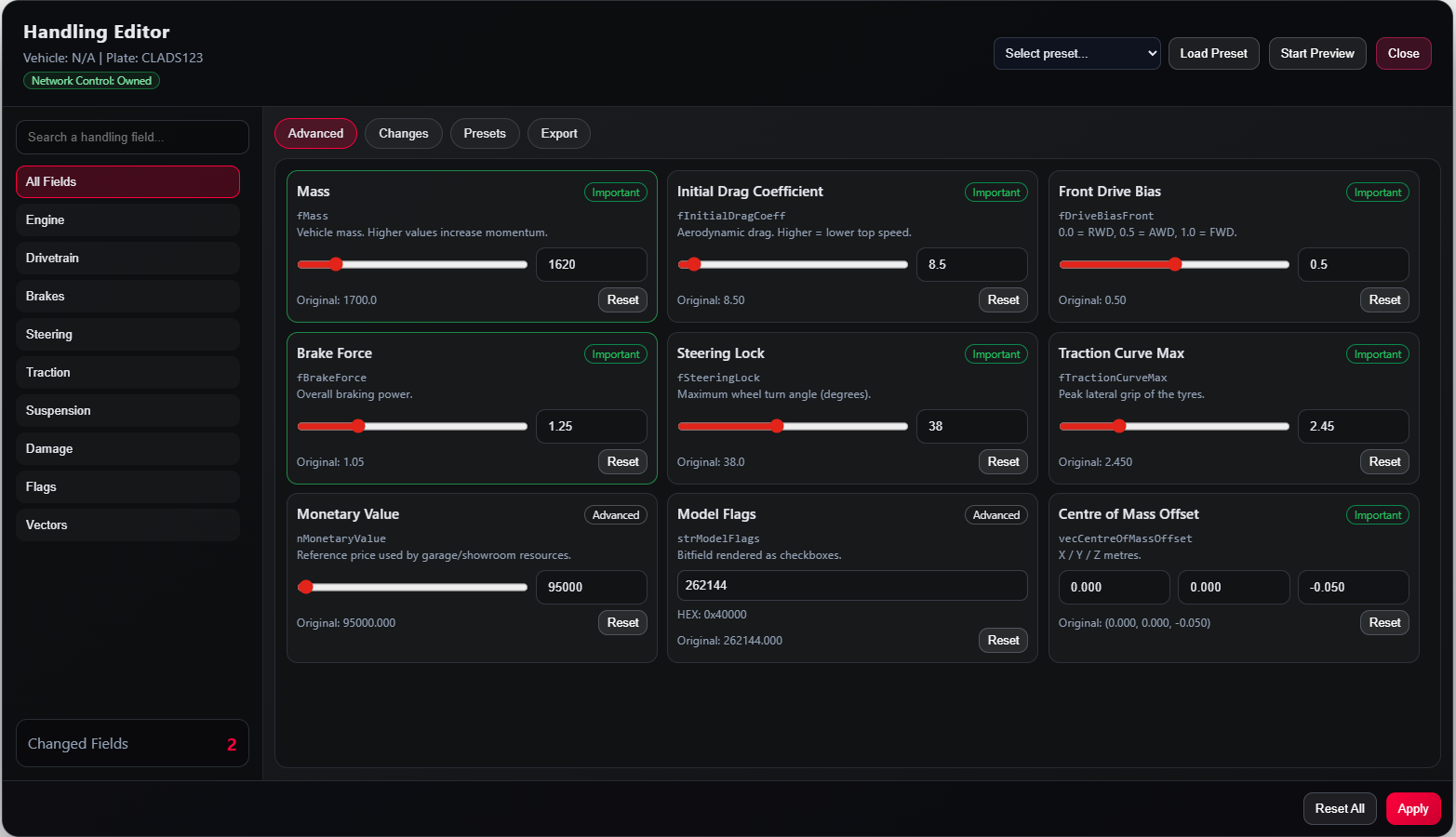
A live in-game CHandlingData editor for FiveM. Tune mass, drive force, gear count, traction, suspension, anti-roll bar, and 30+ other handling fields with sliders that apply to the active vehicle in real time. Save named presets server-side, export your changes as ready-to-paste handling.meta XML, and run a separate timing overlay for 0–60 mph, 0–100 km/h, and ¼ / ½-mile splits with baseline-vs-latest deltas.
Free for everyone. No license key, no purchase required — claim it on Tebex and drop it on your server.
Core Features
- 43 CHandlingData fields across 9 categories with min/max-clamped sliders
- Live writes through SetVehicleHandling* with auto speed-system refresh
- Invisible probe spawn captures untouched baseline values per model
- Telemetry overlay: live MPH/KMH, top speed, current gear, run timer
- Configurable markers: 0–60 mph, 0–100 km/h, ¼ mile, ½ mile
- Save baseline run, compare next runs as % faster / slower per marker
- Server-persisted named presets (profiles.json, no SQL needed)
- Six simplified preset families + body-roll bias slider
- CHandlingData XML export — changed fields only, paste straight into handling.meta
- ACE-gated editor + timing tool with optional standalone bypass
- Customizable through
Config.Fields— hide or show any handling parameter - Full theme override via
Config.UItokens - Five-locale UI (en / tr / de / fr / es) with live language switching
Built To Last
Framework-agnostic. Works on ESX, QBCore, QBox, and Standalone with zero code edits via community_bridge auto-detection. No SQL, no rebuild — drop the resource into your server and ensure it.
- Pre-built obfuscated UI bundle ships in the package
- Sanitised payloads with clamped numeric ranges on the server
- No dependencies beyond
community_bridgeandox_lib - Open
config.lua+locales/*.jsonafter escrow
Documentation & Support
Full guide at creative-lads.gitbook.io — installation, every config option, theme tokens, exports, and troubleshooting.
Need help? Open a ticket in our Discord under the #create-ticket panel. Include your Tebex transaction ID, resource version, server framework, and any F8 console errors. Tickets are answered within 24 hours, 7 days a week.
Delivery Method
This product is delivered automatically after claim. Once your order is completed, the asset will be granted to your account and a download link will be sent to your Tebex email address. Make sure your email address is correct and accessible before completing your purchase.
Refund Policy
Per Tebex Terms of Service, digital goods are non-refundable once delivered. Open a pre-sales ticket on Discord if you have compatibility concerns — we'll confirm support for your stack before you claim.
Creative Lads — Break the limits. Code beyond boundaries.